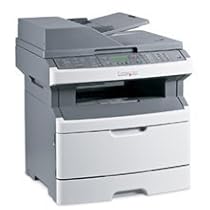
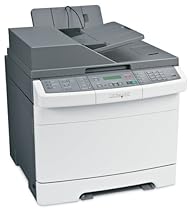
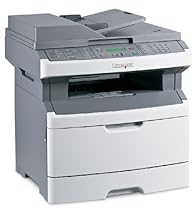
X543DN Mfp Color Laser 21/21 Ppm P/c/s Duplex


Lexmark Color Laser with scanner/copier (X543DN)5

The features included fast printing full color automatic double sided printing (w/o fax option). It will work as a network printer too. It was clearly designed to work with Windows but it is also sold as Mac OS compatible and the User Manual walks you though set-up steps with Windows or Mac OS at the same time. It is thorough. Thank goodness it's in HTML format too.


I'm a long time HP printer user (30+ years) and I wary of other brands. But I haven't had a good experience with HP over the years - they just don't keep their printers drivers up to date (at least not for Mac or Unix systems).


Mac users won't have any problems with this printer and the Mac installer is included. The printer driver did not include a double sided printing option. You have to be working from one of the Microsoft Office applications to notice a third line of options called "Copies & Pages" > "Printer Features". Opening up that list provides all the printer functions like printing form the options sheet feeder (envelope) and you can turn on double sided printing (from the"Layout: menu) if you look carefully enough. You can also choose binding on the long or short side too.


My first mistake was that I assumed the envelope in the single sheet option feeder would give it priority to the main paper bin (as it does on HP printers).


While I am impressed that this printer worked right out of the box (no set-up required). I followed the instructions to the letter installing the "software" before plugging in the printer. But it might as well be using the Generic Postscript driver - nothing special about the driver.


While unpacking it took me about 15 minutes to follow all the colored tape to pull about a dozen plastic shipping pins. Not real hard but I was still surprised at how many of those pins where installed. It is easy to snap off the plastic pins so use care when removing them.


I was not impressed with "pinch and lift" access to the toner drawer - it sticks. But I do like the small square toner cartridges which fit snugly in their respective slots. Each toner box is keyed so you can mix up the colors.


The print quality is excellent. Finally I'm printing off web pages that look just like they do on my monitor. No calibration needed. That's impressive. Color copies and photos look great as well. If you were used to printing color photos off in B&W on a monotone laser printer you'll find the color version more interesting.


The manual also neglects to point out the importance of using high quality polished paper for laser printers (probably because HP sells so much of it). Good paper is really important for sharpness and brightness. When you print to a bond or cotton stock paper it will look fuzzy because of the paper texture. The printer has an option for gloss but I haven't tested that with a photo.


It copies great speed is good once it warms up but warm-up can take 20-30 seconds. Once it's running it does good. I printed out a 40 page PowerPoint file that had heavy black frames. It often took 30-50 seconds to render a page but others came out steady. On a Mac the PDF rendering is done in software not through a chip in the printer. So some of the delay was no doubt on the computer end. However my Mac Pro has a lot of CPU power and RAM to match.


Scanner? - I haven't found any Lexmark installed Scanner applications but I was able to choose the scanner from the "Import" function in Adobe PhotoShop and Preview but not from iPhoto. It works but it's a bit awkward. HP's software takes you directly into a suite of applications that help you edit the picture and print to photo paper of any size and the have all kinds of printing options like masks.


I don't like the rather small vertical output tray in the back and because of that feature I did not order the extra paper bin. You can't expect to stack up much output before you will need to clear the tray. 40-50 pages max.


The sheet feeder worked perfectly. If you fax or copy multiple documents this is a powerful feature.


The control panel layout is well done. The set-up menus are a little awkward to use but fortunately you won't have to use the tiny character panel very often (2 rows of 16 characters). It reminds me of setting the clock on my VCR.


The confusion didn't begin until I wanted to order a new set of cartridges.


First they are hard to find in stores. I checked in every store that sold office supplies and Lexmark printers. But even ordering them on-line was difficult.


Here on Amazon they don't have the cartridge listed in their printer cross-reference tool. (great tool otherwise but apparently it's incomplete).


On Lexmark's web site it doesn't take long to find cartridges but then you start to think you are getting cross-eyed. They seem to have cartridges with different amounts of toner (ink) in them!? Oh no. Is this like the way HP was selling Photosmart inks cartridges that weren't full? I hope not. When I see a toner or ink cartridge I expect that it's a full one otherwise its impossible to compare prices!


So not only are the toners hard to find but you need to be very careful that you are comparing the toner capacities and price.


The "High Yield Toner" was pre-installed - they do not have a replacement part number on them!?


For example they list:


C540X1_G Toner for Extra High yield (C544 and X544 only) -$130

C540H1_G Toner for High yield (C540C543C544X543X544 printers) - $72

C540A1_G Toner (C540C543C544X543X544 printers) - $58

C540X2_G Toner for Extra High yield (C544 and X544 only)

C540H2_G Toner for High yield (C540C543C544X543X544 printers)


I bought these for regular Toner refills:

C540A1CG Cyan (Blue) - $58

C540A1MG Magenta (Red) - $58

C540A1YG Yellow - $58

C540A1KG Black (slightly bigger) - $78


(*These are NOT Amazon prices - they are current prices for comparison purposes only)


Bottom-line double check before you shop for replacement toner. This is a very confusing product in that respect. Lexmark pushes recycling and the boxes have labels to return the toners.


My over all impression is that I really love it. The copy functions are simple and familiar symbols or labels. Software (printer drivers) are easy to update - I hope they will!


This design is a little bit outdated but for the price it's a great way to get into an affordable color laser printer that is clean simple and intuitive. The only interactive display is a tiny 10 letter display (most new printers have an LCD). The user manual is in HTML format so find the menu map and print it out. You can get there through that tiny front panel but it takes a lot of time and a little patients. (I hope it has a Factor Reset option if I ever mess this up...)


Overall I think this is a very affordable color printer. And a full set of replacement toner cartridges (a set of 4 can run $3-450) almost costs as much as the original printer. So you may not want to stock up on new toner - just plan to buy a new printer. Seriously!


But don't worry about the printer functions - it's laser sharp. The ink is durable but it will smear if you get the paper wet. It won't survive a coffee spill.


Pros: Solid color laser printer; accurate scanner with sheet feeder copier functions. Mac drivers.

Cons: Toner is hard to find confusing/deceptive; no single sheet over-ride; no scanner app.


Note: I did not test this printer with Windows.


More detail ...

Lexmark X364DN Multifuntion Printer (13B0502)


Excellent multifunction printer but not for 64-bit linux3

I have owned this printer for a little over a week and would give it 5 stars *except* for the scanner drivers.


First the good: Setup was fast and pretty easy (like most other printers these days it has a web interface allowing you to change parameters). I have it hooked up to one machine via USB and it is also on the network. It is fast to print fast to copy fast to scan. If you don't need faxing you can go with the less expensive but otherwise identical x363.


The bad: Lexmark provides no 64-bit linux scanner drivers period. This is not revealed anywhere and I had even gone to the trouble of checking out the scanning manual available at the excellent Lexmark web site. A general lack of scanner drivers is a common state of affairs in the Linux world but given the explicit support for linux for this printer (one of the reasons I bought it) I assumed wrongly that the scanner drivers would be available in both 32 and 64-bit. Lexmark technical support responded within 24 hours as promised but the response was useless and I never thought they understood my question (when would 64-bit drivers be available). There are 32-bit scanner drivers. They're a little clunky but scanning does work e.g. via xsane.


On the other hand the Linux printing support (via cups) is excellent.

More detail ...

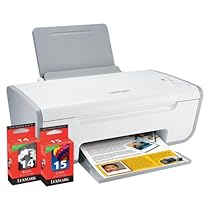
X2650 Color Printer 3-IN-1


Decent results horrible ink cartridge protection.3

This is a decent enough printer. Performance is good the ink seems to last a reasonable time but the cartridges are fairly expensive. Scanning is good. Software is frankly an annoyance.


However don't buy if you're looking to refill cartridges like I was. They are protected. Not all manufacturers do this but most do just now. My situation was worse because no matter what I tried I couldn't get the printer to print only in black and white even after Googling the issue a whole day so the colour ended up running out even without my wanting to print in colour. From what I've heard about Lexmark ink is their business and this would explain why the printer was so cheap and why they have built the printer in such a way.


For your average user I give it 3 stars as perhaps a moderate user would be happy paying for the ink. Myself as a programmer and systems developer who bought this printer in a hurry upon arriving in a new country I need to print rather more and it has been a waste of my money and frustrated me for two whole days. I have bought a few Lexmarks in the past but after this experience I doubt I'll try them again.More detail ...

X544DN Mfp Color Laser 25/25 Ppm P/s/c/f Duplex Frnt Pic Bridge


Overall very nice printer/fax/scanner4

This printer was surprisingly small in size to be a color laser MFP. It replaces an HP2840 that died (falsely claiming a jam that couldn't be cleared even by a printer repair place). I researched MFP devices from Samsung Canon Epson HP looking for one that was Mac Snow Leopard compatible had duplex printing capability color laser printing and good printing speed. This had all of those features at a price that matched or beat its competition on a printer that can print more than 20 ppm both color and B&W all the others had less than 20 ppm printing speed. I just received the printer today and am pleased with its printing speed and quietness of operation. The HP2840 was a very noisy machine slow to start up poor Snow Leopard support (only print no fax or scan).


If you're using it as a network printer the only way to scan is via the web interface but if you hook it up via USB then you can scan more directly from the computer. I think that's a bit clunky and Lexmark should make a more sensible driver for it but at least you can scan/print/fax from the network in Snow Leopard.


Overall it seems to be a very nice device and I think I made the best choice.More detail ...

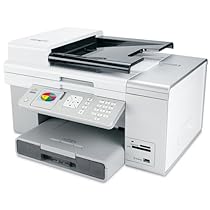
Lexmark X9575 Wireless Professional Multifunction Color Printer (14V1000)


Solid performer!4

was interested in 7675 model that has 4 star rating over several reviews. Its scanner is 600x1200 dpi so I decided to review the 9575 with better scan capabilities and looks much more elegant that 7675. I read the two reviews on Amazon both had 2 star ratings. Both are very well written to the point so I was afraid to pick this model up. However I decided to give it a try anyway.


I have tried to address some of the points raised in the other two 2 Star reviews hope it will help them also or they may be correct in their individual circumstances.


The setup was a breeze - the CD accompanying the printer asks for 30 minutes set up time I got done somewhat short of 30 mins most of the time going into doing external stuff ("now get paper load it in tray" etc). Once the setup was complete all its features worked just fine. No customer support no rollback of software of conflicts of any kind.


Here are some notes that may help the buyers or those considering to buy-

* On opening the box in big letters there is a sign - insert CD before you connect the printer. Follow the simple instructions by the book. You may find the setup as easy as I did.


* I connected the machine wireless hooking up my 2 desktops and 1 laptop. All work fine.


* The earlier 2 star reviews found the printer flimsy. I found it as well constructed as any other printer - give or take a shade here and there. The perception of "Flimsy" could arise from the scanner cover once lifted well it appears "Flimsy" as the hinges swivel and appear loose.


In checking with one of the brick and mortar stores their response was that it is designed that way so that a BOOK can be photocopied. Rigid hinges make it difficult to position a book.


* Print quality is good ink capacity is same as 7675 model (approx 500 pages) I am ok with all this. PCMag has some reviews on both and I agree with their assessment -both have similar 3star or 4star rating.


* As far as software conflicts reported earlier go my machines are loaded- from productivity suites to graphics to even games. No software issues arose. This is my experience and is not meant to refute what the other two reported.


Overall a very satisfying machine for such a low price. I am happy with it.More detail ...

Lexmark X5650 All-in-One Inkjet Printer


JUNK!1

The only pros are it will occasionally print and scan and copy. Usually this is after turning it on and off several times because the power quits sometimes in the middle of a print job.


The fax has never worked correctly.


I am on my second model (5650). I took the first back thinking I had a lemon but the 2nd wouldn't even cut on - out of the box. I call tech support (Lexmark does have very good support) and was instructed to use a pencil eraser on the power adapter (which worked but this was a new machine!) I was instructed to unplug pick up and shake my first model! LOL


Note: I have a five year old Lexmark copy/scan/fax machine which still works well to send faxes. The printer part quit when it was about 2 years old. I have a very inexpensive Lexmark printer in my house which has never given me a problem. Point: Lexmark does have good products but the X5650 model is NOT one of them. Stay away.More detail ...

Lexmark X264DN Multifuntion Printer (13B0500)


Great Printer from Lexmark5

This is a great machine for the money. Warm-up speed is quick and when it begins printing it prints fast and quite. This machine is great for a home or office environment. The scan to email function is superior to all of the other multi-function machines I've owned. The scanning software minimizes the number of trips you need to make to the machine so if the printer is in another room you don't have to run back and forth a bunch of times. The duplexer in the printer works flawlessly. What else can I say it's quiet reasonably priced fast and has great print quality.


I did run in to a significant installation problem during setup. I set this machine up on 5 different computers. Everything appeared to go fine during the install but after I shut down 2 of the computers at the end of the day and started them up the next morning Lexmark's scanning software completely locked up 2 of them and would not let the operating system boot up. Since I didn't need scanning capability on these two machines I ended up starting them in safe mode removing the scanning software and everything worked fine after that. I never called Lexmark's technical support to see if they had a fix for the problem.More detail ...

X2670 All-in-one Printer


Good Printer ... So Far4

After having experienced numerous problems with previous printers (computer not being able to recognize printer printer not being able to handle multiple print jobs at once printer not being compatible with more than the initial computer hooked up to printer necessitating color cartridge even to print colorless documents) I am pleased to say that this model so far shows no sign of these issues. However I must point out that I've usually exprerienced the aforementioned issues farther down the line which means I am prepared for the worst. The difference in this scenario (that is from my previous purchases of printers) is that I contacted Lexmark (the manufacturer) BEFORE I purchased the item (an idea I must say should have occurred to me long ago) to find out whether or not the printer will need a color cartridge replacement often even if I just want to print in black. The good news is that as long as you print a color document from this printer once every two weeks (according to the Lexmark representative I spoke with) the color cartridge should last up to four months and this will allow printing primarily in black for that interim. That's all I wanted out of this product.More detail ...

My Blog List